H-Studio logo
Start a project

Internal Tools Development & Operations Software

Admin panels, back-office systems, workflow automation and operator dashboards for teams managing daily operations — built around real workflows, permissions, integrations and reporting.

Scope of this page

Internal systems for the team running the operation

This page covers internal-facing software: admin panels, operator workspaces, approval flows, reporting dashboards, reconciliation tools and workflow automation used by your own team. For external access by customers, partners or investors, see Client Portals. For broader platforms combining several user groups and product surfaces, see Custom Platforms.

Why this becomes necessary

What starts breaking before teams need an internal tool

01

Spreadsheets become operational infrastructure

What started as a tracking sheet now runs real operations. Formulas break silently, versions diverge, and the whole team depends on one file nobody is sure is correct.

02

The same data is maintained in several places

Customer, order or case data lives in a CRM, a few spreadsheets and someone's inbox. Keeping them in sync becomes a manual job, and the reports never quite agree.

03

Exceptions consume the team

The standard process works, but every exception needs a person to chase, approve or correct it. Handling the edge cases quietly becomes most of the work.

04

Managers cannot see what is actually happening

Status lives in people's heads and scattered tools. Getting a reliable picture of throughput, bottlenecks or what needs attention takes manual assembly every time.

01  ·  What we deliver

What we deliver

01

Admin panels & operator surfaces

Moderation, approvals and status management · Escalation flows and task queues · Bulk actions, filters, search and exports · Role hierarchies for admins, managers, operators and viewers · Activity history and change tracking for critical actions

02

Workflow automation

Lead routing, onboarding, billing or reconciliation flows · Approval steps with role-based gates · Notifications, reminders and escalation paths · Trigger-based actions across CRM, email or internal tools · Background jobs, scheduled tasks and retry handling

03

Back-office systems

CRM-like operational systems for workflows standard CRMs do not fit · Inventory, resource or asset management · Scheduling, dispatch and capacity planning · Document upload, approval, archiving and search · Internal reporting, KPIs and scorecards · Optional assisted extraction, search or summarisation features where they remove manual work and retain human review for sensitive decisions

04

Spreadsheet & no-code migration

Data modelling that preserves useful history · Migration from Excel, Google Sheets, Airtable, Retool or Power Apps when operational workflows have outgrown them · Phased rollout while the old system stays available · Validation rules and cleanup before migration · Training material and runbooks for the operations team

05

Integrations and operational reporting

CRM, ERP, accounting, payment, document and communication integrations where APIs permit · Data synchronisation and reconciliation rules · Operational dashboards and structured exports · Notifications and scheduled processes required by the workflow

02  ·  When to use

When this service fits

Choose this service when:

  • Spreadsheets, Airtable or a low-code tool have quietly become the operating system for a core process
  • Approvals, assignments, reconciliation or exception handling need role-based control rather than shared edit access
  • Operational data is spread across tools with no single, trustworthy view
  • Reporting the team relies on still depends on manual assembly
  • The internal-facing system has to stay maintainable as usage and volume grow
Optional

Optional assisted features

Where they remove repetitive manual work, internal tools can include document extraction, assisted search or summarisation with source visibility and human review for sensitive decisions. AI remains a feature inside the operational system, not a separate product promise.

Build vs configure

Custom internal tool or configured low-code system?

Low-code tools can be a sensible starting point for simple internal workflows. Custom development becomes relevant when the workflow, permissions, integrations or operational risk can no longer be handled cleanly through configuration.

Configured tools may be enough when:

  • The workflow is mostly standard data entry with few exceptions
  • A small, stable group of internal users needs it
  • Permissions and approval logic stay simple
  • Your team can own and extend it without engineering support

Custom development becomes relevant when:

  • Permissions, approvals and roles become genuinely complex
  • Integrations and data reconciliation drive the workflow
  • Operational risk or auditability makes correctness matter
  • Reporting or performance outgrow what configuration allows
  • The system has to stay maintainable as volume grows

Where an existing tool fits the workflow cleanly, we will say so before proposing a custom build.

How it works

How internal tool delivery works

01

Workflow and tool mapping

We map how the work actually happens today — the steps, roles, exceptions and the spreadsheets and tools currently holding it together.

02

Scope and system design

We define the data model, roles and permissions, integrations and reporting, and the boundary between what stays in existing tools and what becomes custom.

03

Build and phased rollout

We build in iterations and roll out in phases, keeping the existing setup available so operations never stop during the transition.

04

Adoption, handover and iteration

We support adoption with documentation and training, hand over ownership cleanly, and iterate as real usage reveals what to refine.

Who we build for

Operational teams we build for

Internal tools are built for the people who run the operation every day. These are the teams whose workflows most often outgrow spreadsheets and configured tools.

01

Revenue and service operations

Teams managing pipelines, onboarding, assignments and service delivery that need routing, status control and reporting beyond what a CRM provides.

02

Finance and reconciliation operations

Teams handling invoicing, reconciliation, approvals and dunning where accuracy, traceability and integration with accounting systems matter.

03

Document and case operations

Teams processing intake, documents, approvals and cases that need structured workflows, history and controlled access.

04

Field and asset operations

Teams coordinating inspections, assets, scheduling and dispatch across office and field, working from one operational system.


Internal tools we've built

Operational platforms, dashboards and admin systems

Selected internal tools where the operational workflow, data model and team adoption shaped the architecture.

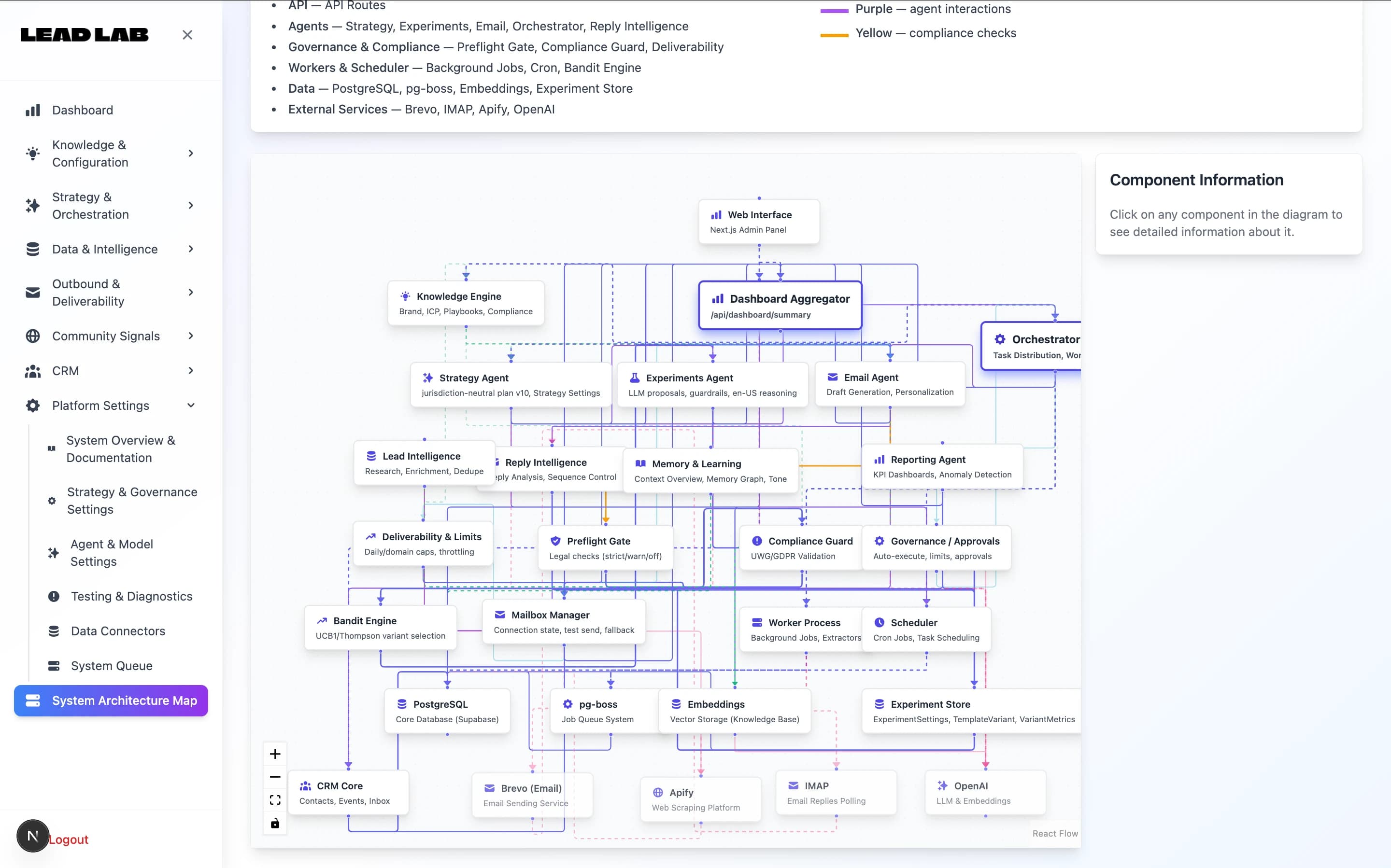
Lead Lab  -  B2B Revenue Operations Platform with Automation & Intelligence FeaturesStartup Engineering

Lead Lab - B2B Revenue Operations Platform with Automation & Intelligence Features

  • Starting point

    Sales operations across multiple data sources, no single source of truth, manual revenue reporting eating analyst time.

  • What we did

    Built a custom revenue operations platform with unified reporting and selected assisted analysis features under human review.

  • Result

    Revenue ops moved from spreadsheet-based reconciliation to operational system; analyst time reallocated from data wrangling to actual analysis.

Read full case
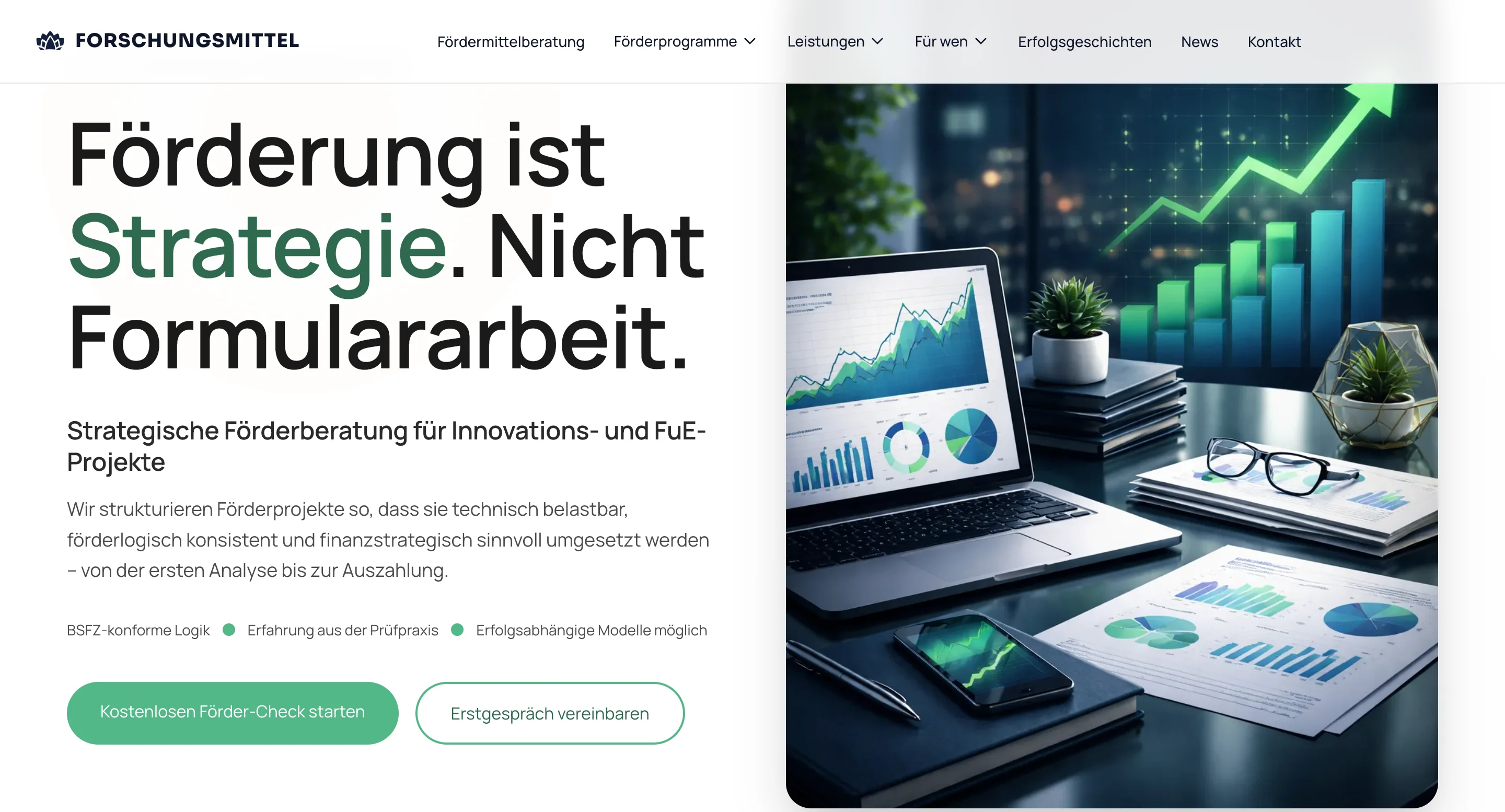
Forschungsmittel.comDigital Experience & Brand Systems

Forschungsmittel.com

  • Starting point

    Internal team operations were split across email, shared folders and external SaaS tools.

  • What we did

    Built an internal operations layer with team workspace, document workflow and operations command center, sharing the same data model as the client-facing portal.

  • Result

    Team workflows consolidated into a unified internal system with audit trail and clear ownership.

Read full case
Vulken FMEnterprise-Grade Foundations

Vulken FM

  • Starting point

    Facility-management operations depended on fragmented inspection and asset workflows hard to standardise across field teams.

  • What we did

    Built a mobile inspection flow plus web admin with QR-linked asset records, structured reporting and operational handover capability.

  • Result

    Field and admin teams worked from one operational system; asset data became queryable and reportable.

Read full case
Stack

Typical technical foundation

Application stack

  • Next.js
  • React
  • TypeScript
  • Java / Spring Boot or Node.js
  • PostgreSQL

Operational capabilities where required

  • Role-based access
  • Activity history
  • Workflow automation
  • Scheduled processes
  • Reporting and exports

Delivery and integrations

  • Docker
  • CI/CD
  • Monitoring
  • CRM / ERP / accounting / document integrations
  • EU infrastructure options where relevant
FAQ

FAQ

  1. Internal tools are for your own team — the admins and operators using the system every day to run sales, support, finance, operations or fulfilment. Client portals are for external users such as customers, partners or investors. The two differ in UX, permissions and security posture: internal tools optimise for high-frequency operator work, portals for occasional external access with clear boundaries. Projects that need both are scoped together.

  2. Move when the tool has become the source of truth but the team no longer fully trusts it — duplicate data, unclear ownership, manual copy-paste, broken formulas, missing permissions or workflows that depend on one person remembering the process. If a configured tool still fits the workflow cleanly, we will say so.

  3. Yes, where API access and project scope allow. We define which system is the source of truth, what the internal tool may read or write, and how sync errors or failures are handled, so the integration stays reliable in daily use.

  4. Yes. We map what the current tool does well, decide what to preserve and what to rebuild, and roll out in phases while the old system stays available during the transition. Data is cleaned and validated before migration, and the team gets documentation to take ownership.

  5. We design roles, permissions and sensitive actions before implementation. For critical workflows we can include role-based access, activity history, change tracking and approval logs, so the team can understand who did what and when.

  6. Often that is the right answer. We build custom around the parts your current tools do not handle well — complex permissions, deep integration, performance-critical or customer-adjacent steps — while the existing tools keep owning the workflows they do well. We extend your stack rather than replace it.

  7. Yes, where they remove repetitive manual work. Document extraction, assisted search and summarisation can be built in with source visibility and human review for sensitive decisions. These stay features inside the operational system, not a separate AI product.

  8. You do. You own the code, the infrastructure and the documentation, with no per-seat platform lock-in. We hand over cleanly and can continue with iteration and maintenance if you want ongoing support.

Adjacent plates

Related services

  1. 01Custom Software Development & Business Platforms | H-Studio BerlinOpen
  2. 02Client Portals & Dashboard DevelopmentSecure client portals, admin dashboards and internal systems for teams that need role-based access, operational clarity ...Open
  3. 03CRM integration and lead routing for B2B sales teamsCRM integration for B2B sales teams: website enquiry handoff, lead routing, lifecycle stages, source handling, reporting...Open
  4. 04MVP development services for SaaS, portals and platformsMVP development services for SaaS, portals and platforms: backend logic, billing, admin workflows, deployment and clean ...Open

Need an internal system your operations team can rely on?

Start with an Architecture Sprint to map workflows, roles, integrations, reporting requirements and the boundary between existing tools and custom software.

Book Architecture Sprint