H-Studio logo
Start a project

Client Portals & Dashboard Development

Secure customer and partner portals connected to the admin back-office and operational systems behind them — so external users and your team work from the same reliable state.

Scope of this page

Choose this service when external users are part of the workflow

This service combines an external user area with the internal layer that operates it. If every user is part of your own team, Internal Tools is usually the better fit. If the product spans several public and private surfaces or multiple core business domains, start with Custom Platforms.

Portal types we build

External-facing portals — six common shapes

Start with who enters the system and what they need to complete. The workflow should shape the portal — not a generic dashboard template.

01

Customer / service portal

For B2B services, professional firms and advisory teams: service progress, document exchange, billing visibility and customer requests connected to CRM, accounting or case workflows.

02

Partner portal

Channel sales, distribution networks, dealer networks. Multi-tier access, deal registration, training content, co-marketing assets, performance reporting.

03

Investor portal / Data room

Family offices, funds, M&A advisory boutiques. LP/GP access tiers, document versioning, audit trails, portfolio reporting, deal flow.

04

Vendor / supplier portal

Procurement, supply chain, RFQ flow. Vendor onboarding, document exchange, invoice submission, performance tracking.

05

Contractor / external workforce portal

Contractor and freelancer onboarding, document collection, access requests, time or delivery records and signed agreement workflows.

06

Client case portal

Legal, tax, compliance and advisory services. Secure intake, case state, document upload, billing visibility and traceable case history.

Why architecture comes first

What breaks when portals are added too late

01

External users inherit internal workarounds

A thin portal cannot remove the email, spreadsheet and copy-paste steps behind it. Customers see an interface, while every meaningful action still waits for someone inside to move the work forward.

02

The back-office remains the real system

If staff update users, approvals and status elsewhere, the portal is always one step behind. The customer view becomes a partial copy rather than the operational source.

03

Documents and status data drift between systems

Files, workflow state and billing facts diverge because no system owns the complete transition. Reconciliation becomes routine work instead of an exception.

04

Access rules become inconsistent as the portal grows

Permissions added screen by screen are difficult to reason about and test. Who can see or change each record must be a system rule, not a collection of interface exceptions.

01  ·  What we deliver

The portal and the operating layer behind it

01

External portal experience

Account access, recovery and profile management · Dashboards shaped around each external user's next action · Requests, forms, approvals and document exchange · Service, case, order or application status with clear next steps · Accessible, responsive and multilingual interfaces where needed

02

Admin back-office and operations

Customer organisations, users and access requests · Workflow queues, ownership, reassignment and escalation · Status changes, approvals and exception handling · Operational tables, filters, search and grouping · Controlled actions with the context staff need to decide

03

Access model and traceability

Role- and object-level policies for external users, staff and admins · Tenant boundaries where multiple customer organisations share the platform · Permission-aware document visibility and version history · Activity records for sensitive or business-critical actions · Retention and deletion hooks based on the approved policy

04

Integrations and reporting

CRM, ERP, billing, payment, document and email integrations · Explicit source-of-truth, synchronisation and reconciliation rules · Notifications and downstream actions tied to real workflow events · Operational KPIs, throughput and SLA views · Structured PDF, CSV, XLS or scheduled reports where needed

05

Deployment, documentation and handover

Deployment, monitoring and EU-hosting options · Documentation, runbooks and environment setup · Maintainable codebase ready for your team or a future partner · Post-launch iteration model with clear ownership

What we actually built

Portals built around secure external access and operational workflows

Selected portal work.

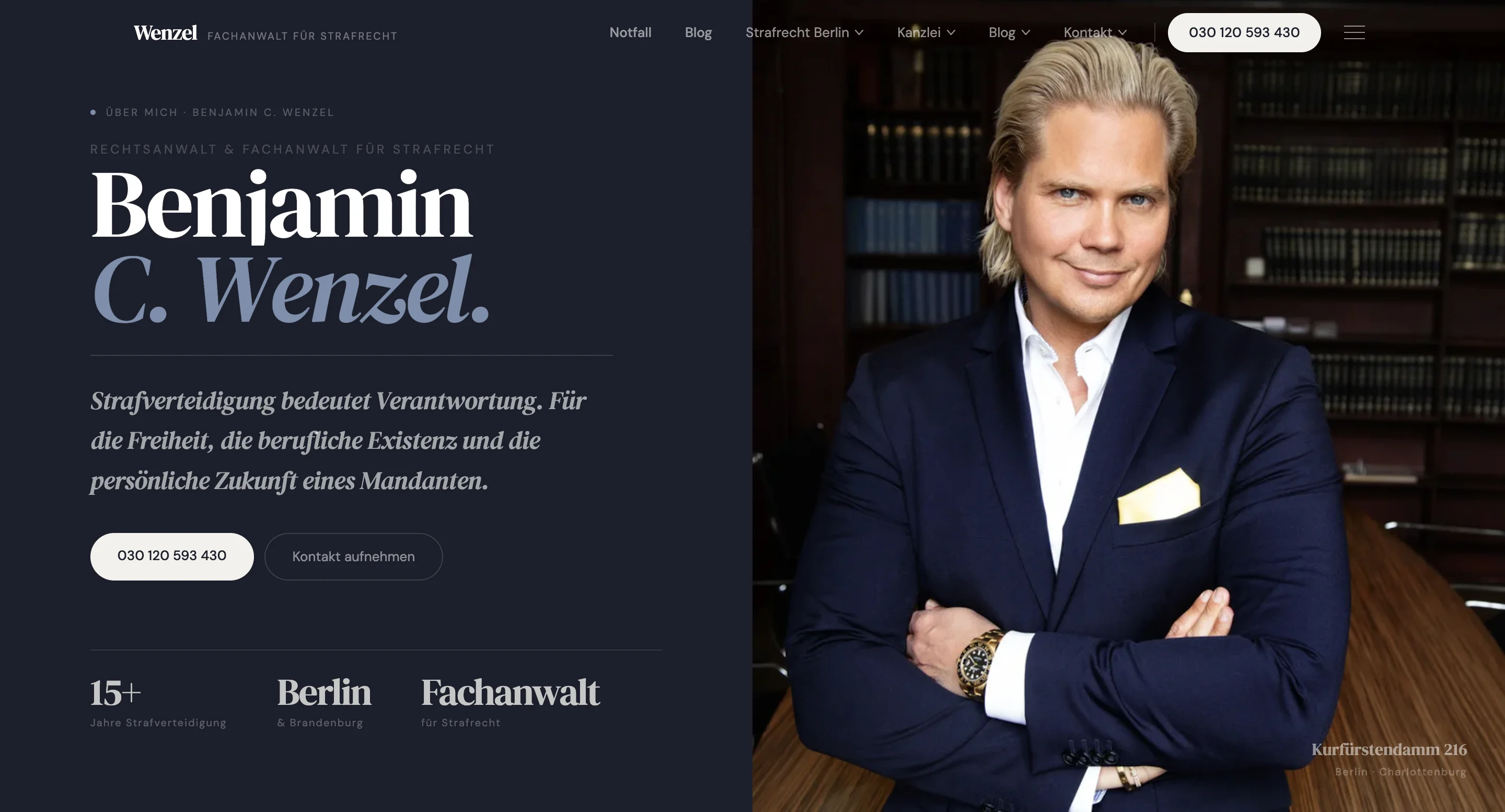
Benjamin C. Wenzel - Criminal Defense Digital PlatformDigital Experience & Brand Systems
Named client delivery

Benjamin C. Wenzel - Criminal Defense Digital Platform

  • Starting point

    A legal services workflow depended on scattered intake, client communication and internal case handling.

  • What we did

    Built a platform with public authority site, digital intake, secure client portal, internal case workspace, document workflows, billing state and traceable case events.

  • Result

    Client intake, case operations and internal workflows moved into a structured platform with clearer ownership and a more traceable case history.

Read full case
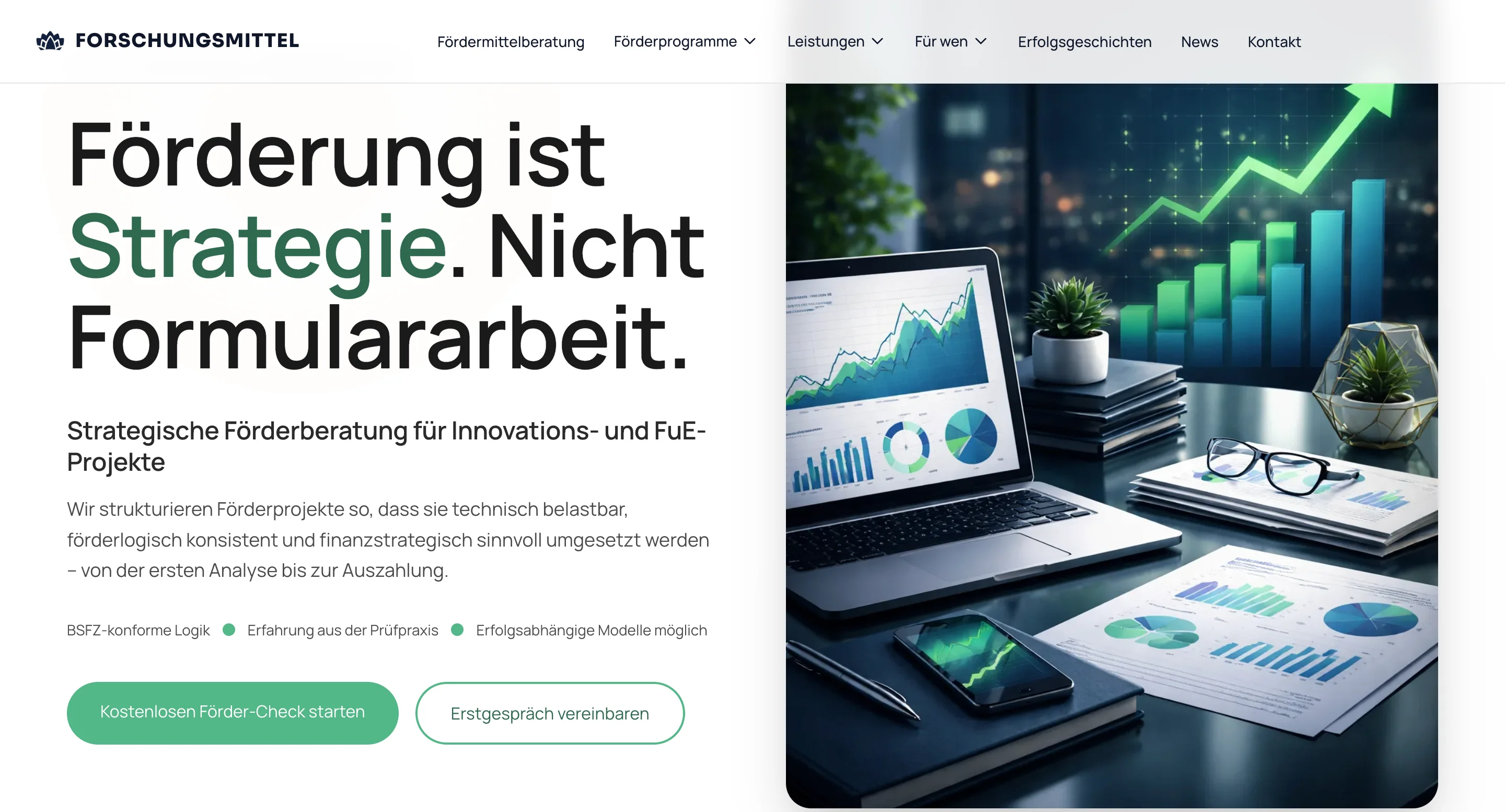
Forschungsmittel.comDigital Experience & Brand Systems
Named client delivery

Forschungsmittel.com

  • Starting point

    Public-facing site, client dashboard and internal team workspace were running on disconnected tools.

  • What we did

    Built a connected platform: public conversion site, client portal with document workflow, team workspace and internal operations layer — all sharing the same data model.

  • Result

    Application handling and ongoing client work consolidated into a single operational system.

Read full case
Build vs Buy

When a custom portal earns its complexity

Standard tools are often the better choice for login, file sharing and a simple status page. Custom development becomes justified when adapting your operation to the tool would create more risk and manual work than owning the workflow:

  • 01Your service depends on workflow states a standard portal cannot represent cleanly
  • 02External actions must change real operational or revenue-critical work
  • 03Several systems must agree on ownership, status and the next action
  • 04Customer organisations need reliable separation and different access rules
  • 05The portal is a long-lived product capability rather than a temporary convenience

Where an existing tool covers the requirement cleanly, we will recommend configuration or integration rather than a custom build.

Security boundary

Engineering controls and legal responsibility are separate

We translate the agreed risk and data-handling requirements into technical controls, testable behaviour and delivery evidence. The required level depends on the users, data, actions and systems in the actual portal — not on a generic security checklist.

The client and its advisers remain responsible for legal classification, policy decisions and any formal certification or regulatory assessment. We make those decisions implementable and verifiable in the software.
FAQ

Questions before planning a portal

  1. Customer and service portals, partner portals, investor portals and data rooms, vendor and supplier portals, contractor and external-workforce portals, and client case portals for advisory or legal work. Each shares the same foundation — external access, an admin back-office and the workflows that connect them.

  2. Yes, where API access and project scope allow it. We connect portals to CRM, ERP, billing, payment and document systems through their APIs or scheduled exports and imports. We define the source of truth before integration work starts so external systems don't create uncontrolled state inside the portal.

  3. Yes. We build document upload, download, approval and exchange flows with role-based access, file metadata, version history, status tracking and storage rules — so external users see only what they should and every action is traceable.

  4. Yes. When the portal serves multiple customer organisations we design the data model around tenant boundaries from day one — role-based access, tenant-aware queries and audit history per tenant — so who can see and do what is a structural property, not a runtime check.

  5. Client portals are for external users — your customers, partners, investors or vendors — plus the admin back-office your team uses to operate them. Internal tools are for purely internal workflows without an external surface. The access model, UX patterns and security posture differ. Some projects need both, and they should be scoped together when they do.

  6. Yes — this is the most common path. Defining the data model, roles and integration boundaries up front means the first release can be a focused portal surface (login, documents, status, basic admin), and later phases add audit views, further integrations or new user types without rewriting the foundation.

  7. Documentation, deployment notes, environment setup and a maintainable codebase, so your team or another technical partner can run and extend the portal after launch — without depending on us.

  8. You do. The project deliverables, including source code and infrastructure configuration, belong to the client according to the agreed contract and payment terms. We prepare the documentation, deployment flow and environments so there is no vendor lock-in to us.

Adjacent plates

Related services

  1. 01Custom Software Development & Business Platforms | H-Studio BerlinOpen
  2. 02Internal Tools Development & Operations SoftwareInternal tools, admin panels and back-office systems for companies whose operations have outgrown spreadsheets, no-code ...Open
  3. 03MVP development services for SaaS, portals and platformsMVP development services for SaaS, portals and platforms: backend logic, billing, admin workflows, deployment and clean ...Open
Related articles

Keep reading from the blog.

More insights and best practices on this topic.

View all articles

Need a portal your team can actually operate behind the interface?

Show us the current workflow and the systems around it. We will help determine whether a configured tool, a focused first release or a separately scoped Architecture Sprint is the sensible next step.

Discuss portal project